
iMessage on Palm?
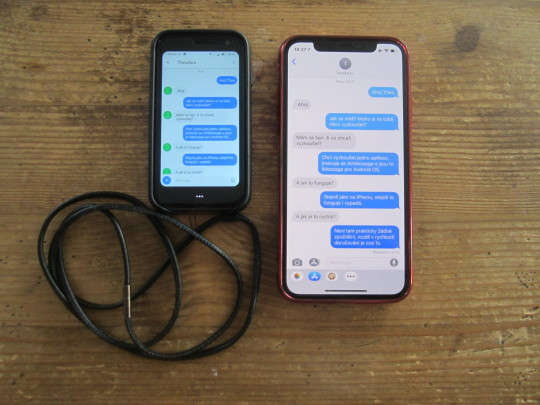
Every iPhone user will confirm that it is essential for him to have his new phone work with iMessage. Apple’s native messaging is very addictive, and many users refuse to install the 2nd, 3rd, or 4th messaging apps all the more because they all look and all do what native iMessage does.
For use Palm with the Android operating system as a leisure phone, it would be nice to install iMessage, but unfortunately, this is not possible because Apple iMessage did not release for Android. But it is possible to use AirMessage, which will deliver iMessage messages to Android.
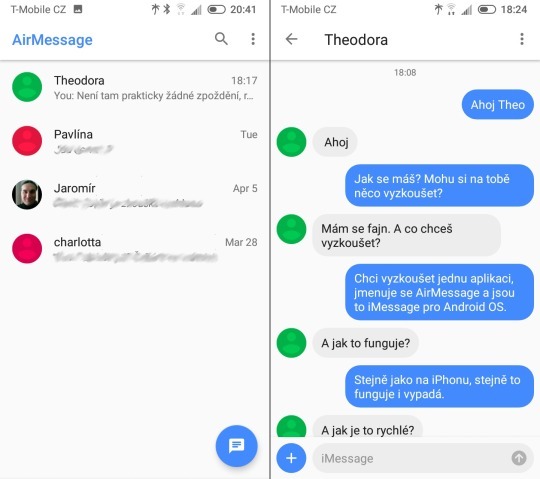
But it’s not one application you install on Palm, and there’s more to do. AirMessage takes advantage of iMessage running on Macs, so you install an AirMessage server on your Mac that will redirect incoming iMessage messages to your Palm app and send messages from Palm to iMessage.
The installation is not complicated and consists in dragging the downloaded app to Applications, launching, setting the password, port, and frequency of message updates, and enabling access to iMessage files. Then just set the port forwarding on your router, install the application to Palm, enter the address and password, and voila, you have iMessage on Palm… d8-D
There are a very detailed tutorial and video on the application site, including how to install the server, dynamic DNS record settings, etc. But you do not have to worry about it. I managed the whole installation and setup in about 10 minutes.
Nothing happened in the application after the installation, but when I opened the chat with someone from iMessage, it downloaded and displayed the entire communications history, and then everything worked as expected, so there’s no reason not to recommend AirMessage.